
Touchpad Blocker is a small but useful application that allows you to block the touchpad from your notebook temporarily. This is very useful because the touchpad is very sensitive and any movement of the palm of the hand may generate unexpected clicks or mouse movements while writing on the notebook keyboard.
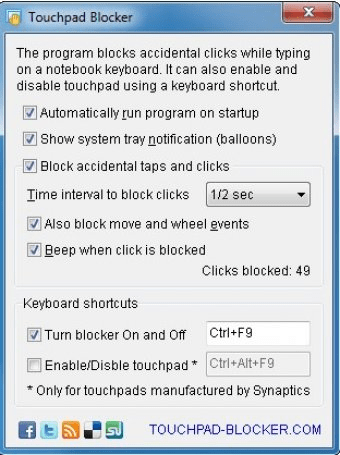
The advantage of Touchpad Blocker is that it requires little disk space and RAM memory. After installing the program, an icon is automatically added to the system tray from where you can open the properties window. In the properties window you will find several options that can be modified: you can automatically run Touchpad Blocker on startup; you can show system tray notification; block accidental taps and clicks; set the time interval to block the clicks from 1/4 of second to 3 seconds; block move and wheel events; activate a beep when click is blocked; set a keyboard shortcut for turning on and off the blocker. Finally, you can manually enable or disable the touchpad (option only available for touchpads manufactured by Synaptics).






Comments